
A VPN kill switch is designed to prevent those brief interruptions from exposing your real IP address or sending data over an unprotected connection. Here's what it does (and why it matters).
What is a VPN kill switch?
A kill switch is a security feature that blocks your internet connection if your VPN unexpectedly disconnects. It is a safety function that helps prevent your real IP address and online activity from being exposed until the VPN reconnects.
The kill switch is an additional feature built into many VPN apps. This feature stops data from leaving your device over a regular internet connection if the encrypted VPN connection fails for any reason.
- A VPN kill switch automatically blocks internet traffic if your VPN disconnects unexpectedly.
- It helps prevent your real IP address, location, and online activity from being exposed during connection drops.
- The feature is especially useful on public Wi-Fi, unstable networks, and when handling sensitive information.
- Most VPN apps let you enable or disable the kill switch in their settings, though features vary between providers.
- A kill switch improves privacy, but it doesn't replace antivirus software or other cybersecurity measures.
How does a VPN kill switch work?
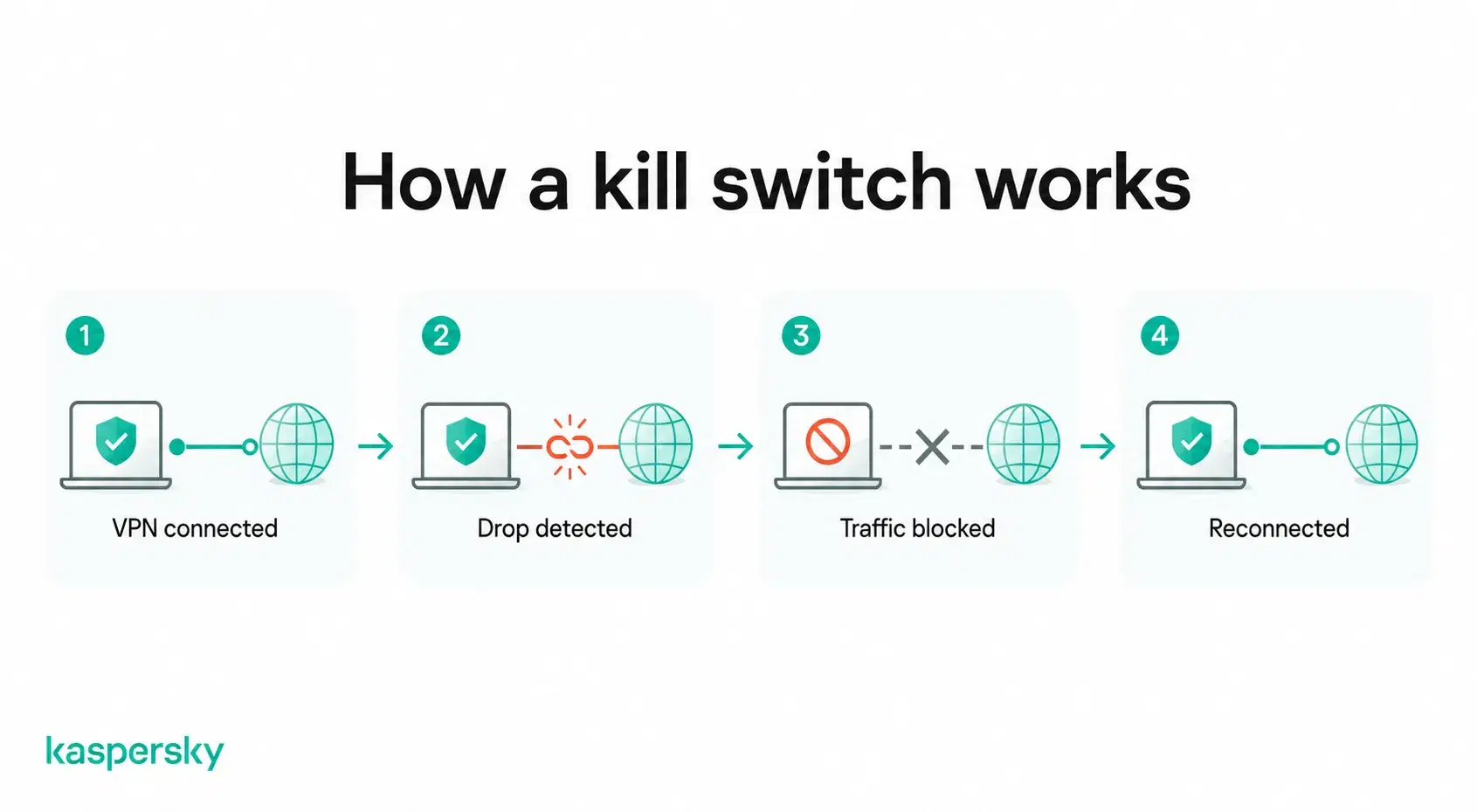
A VPN kill switch continuously monitors the VPN connection. If it detects that the encrypted tunnel has unexpectedly disconnected then it automatically blocks internet traffic at the device or operating system level until the VPN reconnects.
VPN connections sometimes drop due to things like Wi-Fi or server issues. A device could theoretically reconnect to the internet without VPN protection if you do not have a kill switch. This negates the whole point of using a VPN in the first place.
When does a VPN kill switch activate?
A VPN kill switch should activate automatically if the VPN disconnects for any reason. It should reconnect just as smoothly when the secure connection is restored.
If you are using a public internet connection and a VPN, and suddenly you notice that your browser or apps will no longer send and receive data, that may mean the kill switch has kicked in. You might suddenly find that you don’t get messages on WhatsApp or can’t load a page in your browser until there is a secure connection.
The kill switch feature works automatically in the background. There's normally nothing else to manage or check once it has been enabled.
What are the risks of using a VPN without a kill switch?
There are many potential risks of not using a kill switch when browsing with a VPN:
- Your real IP address may be exposed. It can reveal your approximate location if the VPN disconnects unexpectedly.
- DNS requests can leak, allowing websites or your ISP to see which domains you're visiting.
- Sensitive data may be transmitted outside the encrypted tunnel. This is a particular risk if you're using an unsecured public Wi-Fi network.
- Your privacy can be interrupted as your device automatically reconnects through your normal internet connection until the VPN is restored.
Casual browsing doesn’t carry a lot of risk. Kill switches carry the most value in any scenario where privacy is important. It helps to avoid these brief interruptions by keeping your internet traffic blocked until the VPN is active again.
What are the benefits of a VPN kill switch?
The main benefit of a VPN kill switch is that it helps maintain your privacy by preventing accidental data leaks if your VPN connection is interrupted. It is a failsafe in case the VPN temporarily can’t protect you.
This can provide peace of mind. It means not having to worry about whether data was intercepted when the VPN server drops.
Who benefits most from using a VPN kill switch?
A VPN kill switch can be a useful layer of protection for any users. It offers the greatest value for:
- Wi-Fi users who regularly connect to networks in public locations.
- Remote workers accessing company systems or transferring work files over the internet.
- Frequent travelers who switch between different Wi-Fi networks and mobile data connections.
- Anyone handling sensitive information, such as online banking, confidential documents, or personal accounts.
When should you use a VPN kill switch?
Common situations where a kill switch is valuable include:
- Using public Wi-Fi
- Working remotely and accessing company systems or files.
- Traveling and frequently switching between networks.
- Torrenting where maintaining privacy throughout a download is important.
- Accessing online banking or accessing other sensitive accounts on unfamiliar networks.
A kill switch is not as important for people who only use a VPN occasionally for things like accessing region-specific content. Many users do choose to leave it enabled since it only activates if the VPN unexpectedly disconnects.
Are all VPN kill switches the same?
No. VPN providers implement kill switches in different ways. Some protect all internet traffic across the device. There are also kill switches that can close selected applications when the VPN disconnects.
When learning how to install a kill switch you will also learn that VPNs also offer different protection modes. This allows users to choose between convenience and maximum privacy.
System-level vs. application-level kill switches
A system-level kill switch blocks all internet traffic if the VPN disconnects. This provides the highest level of protection. No apps can send or receive data until the VPN reconnects.
An application-level kill switch only closes or blocks selected apps. Users can set this up to be a web browser or torrent client. It allows the rest of the device to stay online.
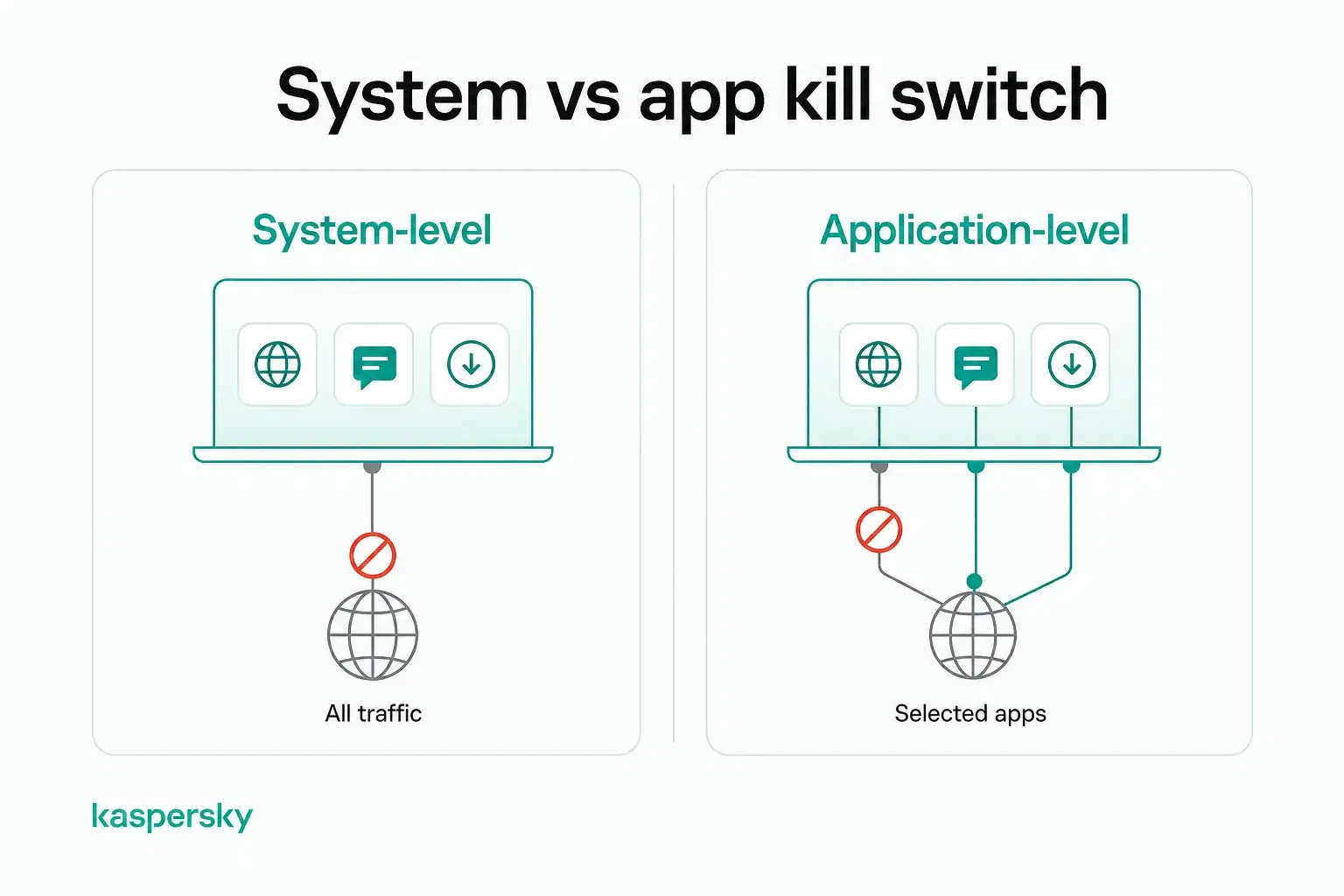
System-level protection is generally the better choice for people who want maximum privacy. Application-level protection can be useful for users who only need to protect certain activities.
Soft vs. Strict kill switch modes
A soft kill switch only activates if the VPN connection unexpectedly drops. Internet access resumes automatically upon reconnection.
A strict or always-on kill switch prevents internet access whenever the VPN is not connected. No filtering based on apps or uses. This includes any times when the VPN has been disconnected intentionally.
Soft mode has a high level of convenience for everyday browsing and in scenarios where the risk is low. Strict mode provides the strongest privacy protection for people who always want their internet traffic routed through the VPN.
Which VPN kill switch is right for you?
Choosing a VPN kill switch is about finding one that works reliably without requiring constant attention. Top VPNs can also provide flexibility and allow you to set criteria for when the kill switch will kick in.
Users should look for features such as:
- A reliable system-level kill switch.
- Simple on/off controls.
- Automatic protection during unexpected disconnections.
- Support across the devices you use most.
Failure to disconnect reliably can negate the whole point of having a VPN in the first place. This is why so many people consider a robust kill switch feature to be one of the most important aspects of a VPN.
It's worth choosing a provider with strong encryption and a good reputation for reliability. A kill switch is only one part of a secure VPN and people also need to ensure they have servers in the locations they desire, and a no-logs policy that suits their privacy needs.
Protect your device
Kaspersky’s VPN includes the option to turn on split-tunneling as well as using a kill switch to protect your privacy at all times.
Try Kaspersky VPN for freeWhat are the limitations of a VPN kill switch?
A VPN kill switch is designed to prevent your real IP address and internet traffic from being exposed if your VPN happens to disconnect. It is one tool in a suite. It is not a complete cybersecurity solution.
A web user’s behavior and human input still matter. It won't automatically stop malware. It can’t do anything about malicious downloads you may accidentally make. It also can't protect information that has already been shared online. A kill switch works best alongside other security measures. This means having solid antivirus software and implementing protections like multi-factor authentication to secure your accounts.
There is a potential inconvenience factor. Your internet connection may stop temporarily until the VPN reconnects. This can interrupt online activities like gaming.
Common issues and troubleshooting
If your internet appears to stop working, the kill switch may have activated because the VPN connection was lost. This is expected behaviour and means the feature is working as intended.
You may also notice interrupted downloads or websites failing to load until the VPN reconnects.
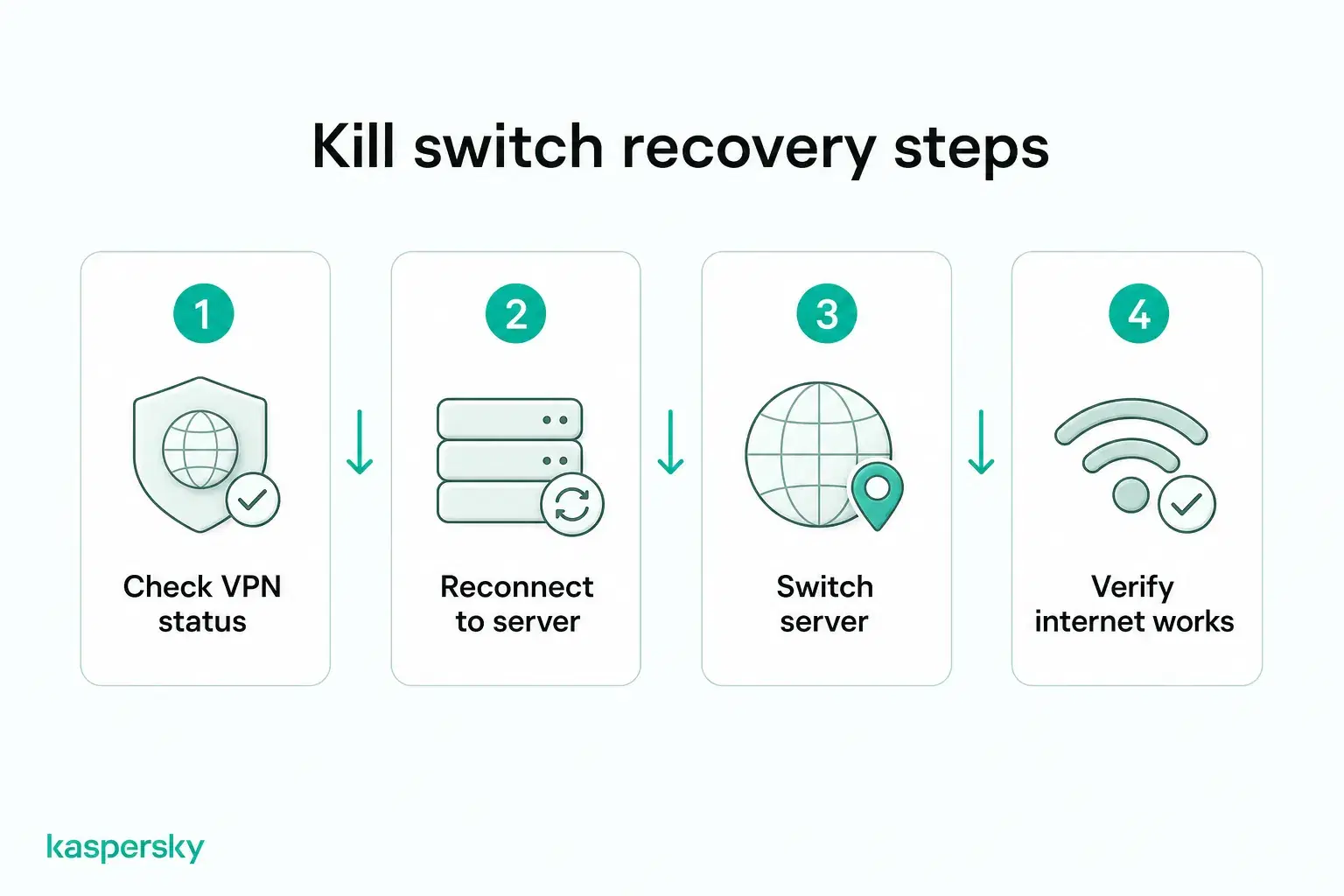
Before disabling the kill switch:
- Check whether your VPN is still connected.
- Try reconnecting to the VPN server.
- Switch to a different VPN server if the problem continues.
- Confirm your internet connection is working normally.
If disconnections happen frequently, the issue may be with your network rather than the kill switch itself.
VPN kill switch vs. Always-on VPN vs. split tunneling
These features work together but serve different purposes.
A VPN kill switch blocks internet traffic if the VPN disconnects unexpectedly. This can help to prevent accidental IP leaks.
An always-on VPN keeps the VPN connected whenever your device is online. It greatly reduces the chances of browsing without protection.
Split tunneling lets selected apps or websites bypass the VPN while the rest of your traffic remains encrypted. This can improve compatibility with services that don't work well through a VPN.
These features allow users to choose exactly how they wish to balance privacy and performance based on their needs.
Related Articles:
- Does VPN slow down your internet speed significantly?
- What are the key differences between VPN vs proxy server?
- What is a VPN and how does it enhance your online security?
- What are the common VPN problems and how can you fix them?
Related Products:
- Kaspersky Premium
- Download a free 30-day trial of our premium plan
- Kaspersky VPN with Kill Switch feature
FAQs
Should I enable a VPN kill switch?
Yes, if privacy is important. A kill switch helps prevent your real IP address and internet traffic from being exposed if your VPN disconnects unexpectedly.
Does a VPN kill switch slow down your internet?
No. A kill switch doesn't affect internet speed. It only blocks your connection temporarily if the VPN disconnects.
Can a VPN kill switch fail?
Like any software feature, problems can occur. Choosing a reputable VPN provider and keeping the app updated helps ensure the kill switch works reliably.
Does every VPN include a kill switch?
No. Many premium VPNs include a kill switch. Some free or basic VPN services do not.