 tips
tips

Many of us use several devices throughout the day, relying on a PC or a laptop for work, tablet for gaming and Web surfing, and, of course, a smartphone. If we look at entire households, that’s a lot of devices, each of them requiring an equally high level of security.
To save the time needed to support each separate device, you can manage all of your security products through the My Kaspersky portal, where you can check all devices for threats, update antivirus databases, and more.
It takes just a few clicks to integrate Kaspersky Internet Security into My Kaspersky.
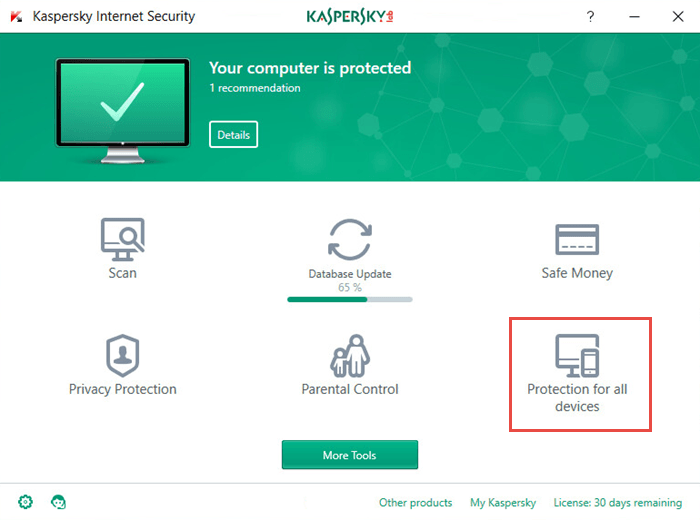
1. Click Protect all devices in the main window.
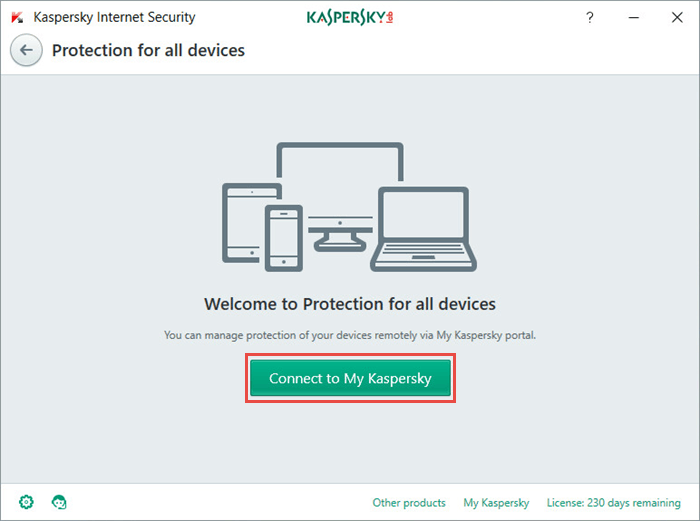
2. Click Connect my PC to My Kaspersky.
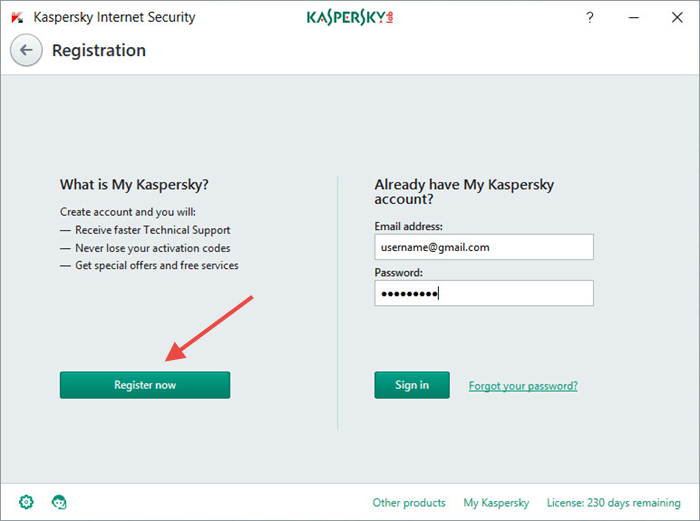
3. Sign in to My Kaspersky, or sign up if you don’t have an account yet.
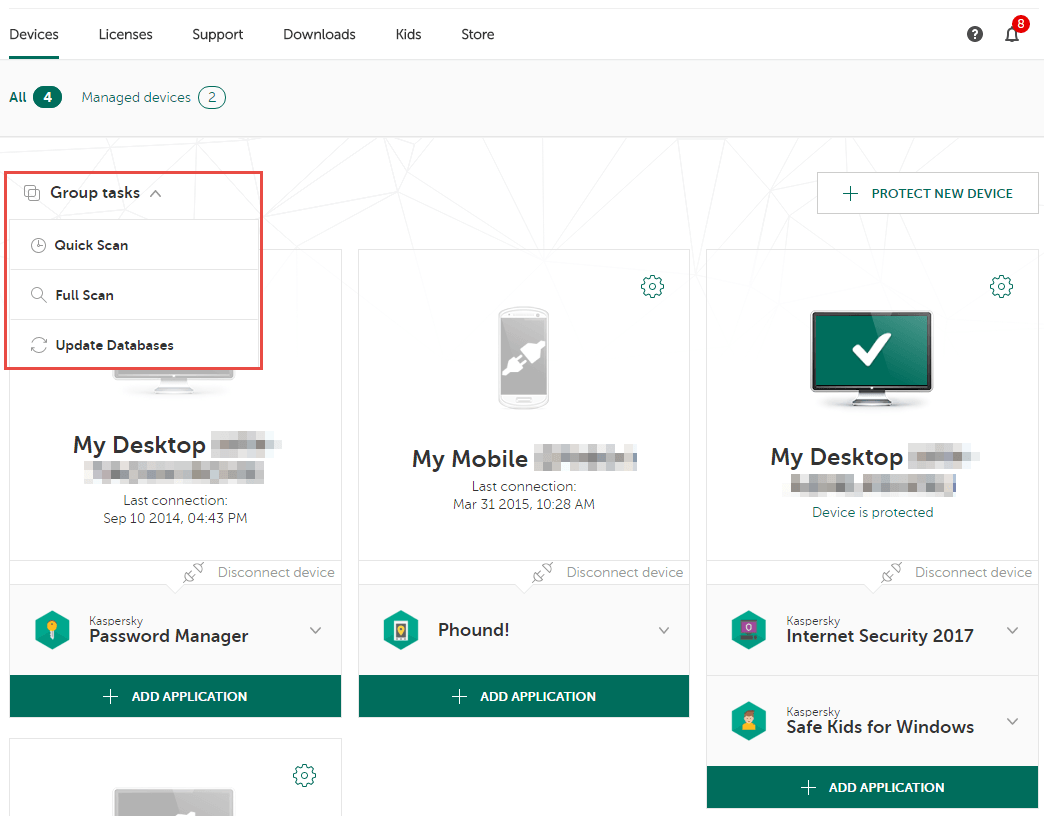
Now you can run antivirus database updates or scanning on any of the connected devices separately, or on all simultaneously with a single click.
And that’s not all! With My Kaspersky you can also do the following:
- Check license information and expiration dates.
- Remotely lock a mobile device, track its location, and protect personal data if a device gets stolen or lost.
- Protect your kids from the dangers of malicious programs and websites.
- Contact our technical support crew for help.
